Send personalised questionnaires to patients
Gather information from the patient before the appointment: create reusable templates for pre-appointment medical histories, food diaries and follow-up questionnaires; send them with a single click and receive the completed responses directly in the patient’s file.
With Cibus questionnaires, you can gather information from patients even before their appointment: pre-appointment medical history, food diaries and follow-up questionnaires. Create your own templates, send them with a single click and receive the responses back, ready and waiting in the patient’s file.
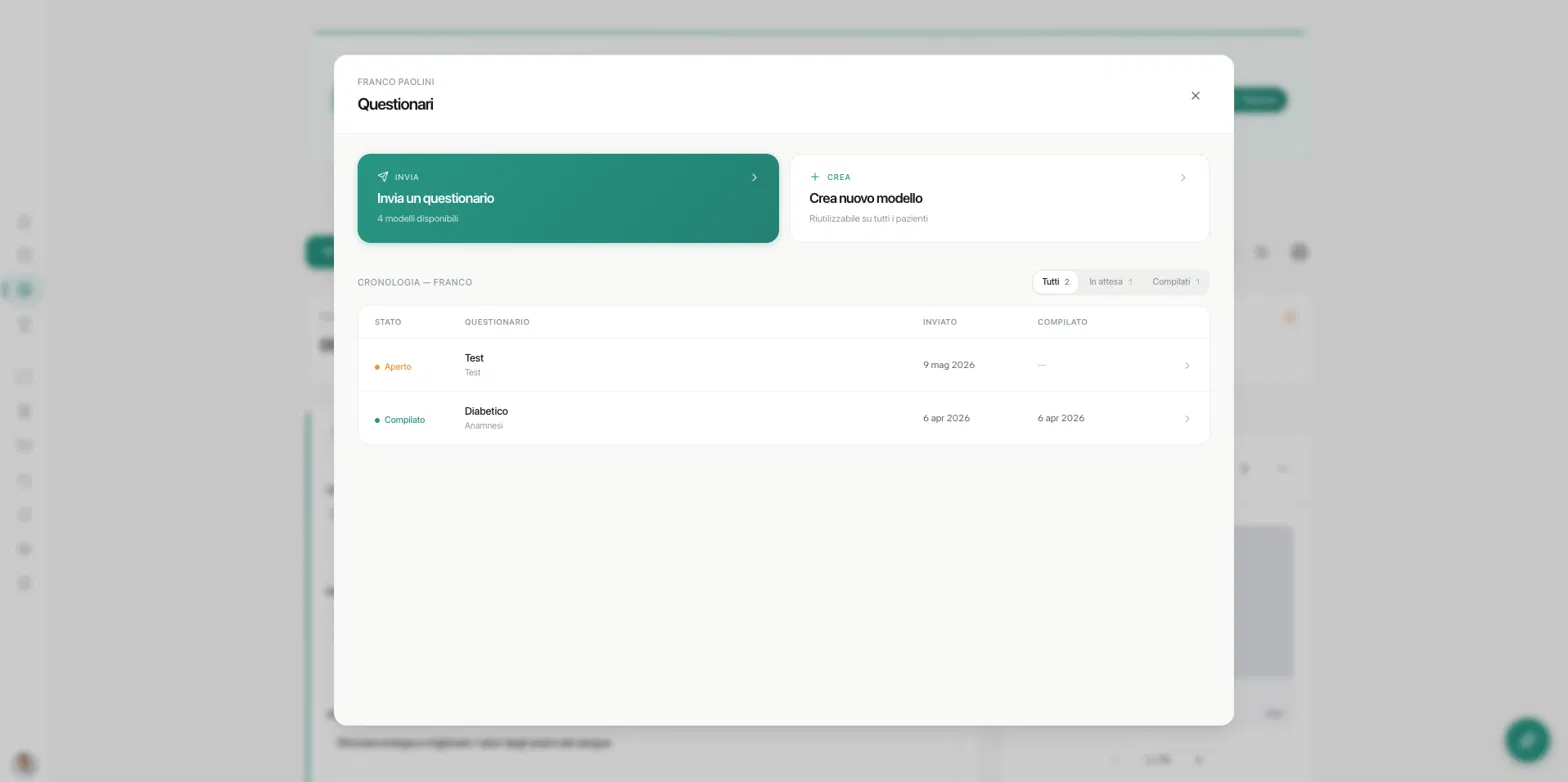
Where to find them. At the top of each patient’s file, you’ll find the Questionnaire icon (next to the euro icon). Clicking on it opens the Questionnaires panel, which shows two options and a history of the questionnaires already sent to that patient.
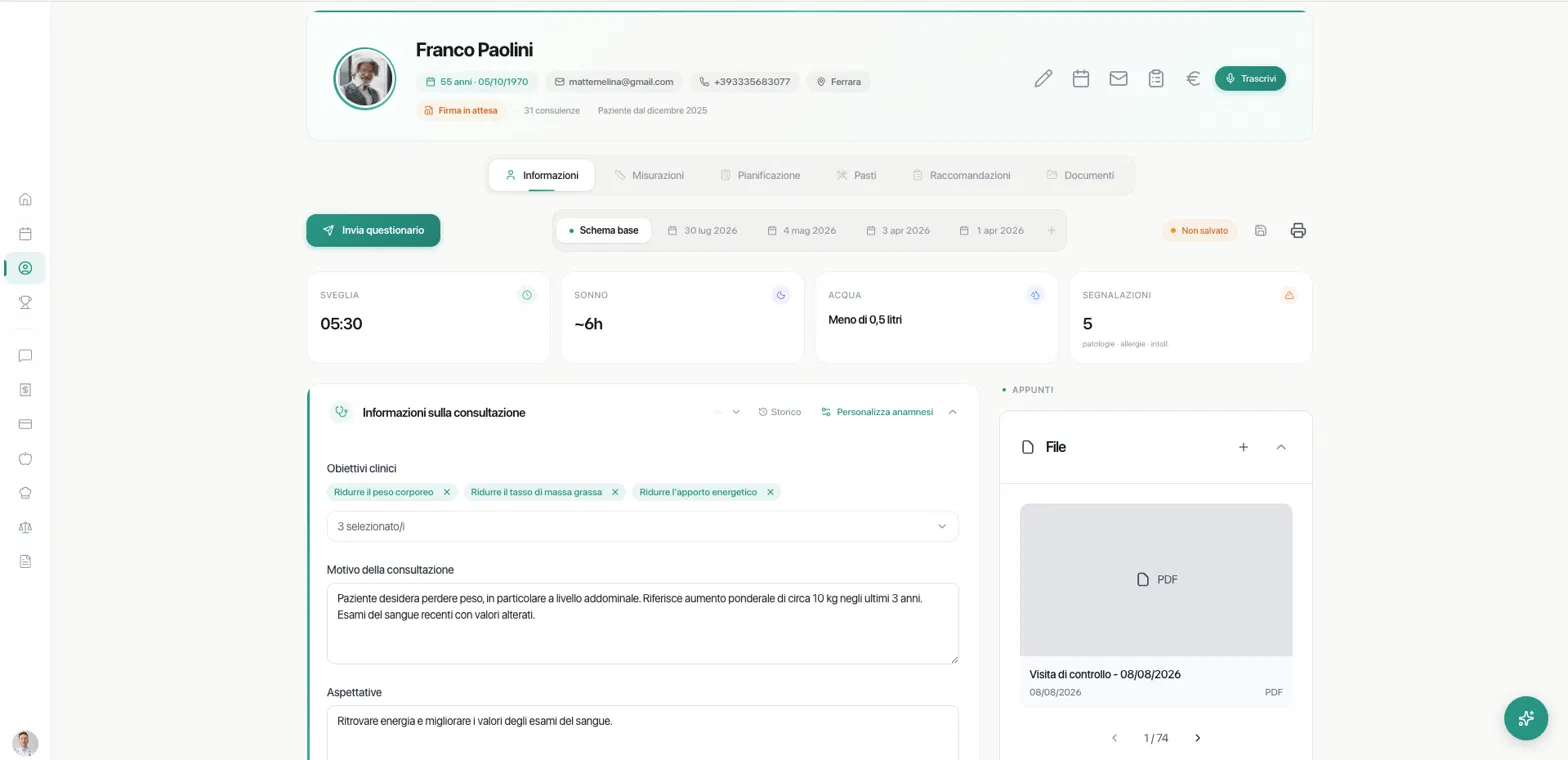
Create a reusable template. Use ‘Create new template’ to build a personalised questionnaire — with the questions you want, in the format you prefer. Once created, the template can be reused for all patients: you build it once and apply it to whoever you want, without having to recreate it every time. You can have multiple templates (medical history, diabetes, food diary, etc.), as shown by the ‘available templates’ counter.
Send a questionnaire. With ‘Send a questionnaire’, choose one of your templates and send it to the patient. The patient receives it by email and completes it remotely, at their leisure, before the appointment.
Receive and read the responses. In the patient’s history, you can see the status of each questionnaire: Open / Pending whilst the patient has not yet replied, Completed once they have submitted their replies, showing the date of submission and the date of completion. You can open the completed replies here, from the Questionnaires panel, and download them as a PDF document.
Why it’s worth it. Sending the questionnaire before the appointment means you arrive at the appointment with the full picture already in hand: the patient has taken their time to reply from home, and you save precious minutes that you would otherwise spend gathering basic information during the session.
Customise the medical history formWould you like to learn more?
Not using Cibus yet? Leave your contact details and we’ll get back to you.
Already using Cibus?
Need help? Message your Cibus contact.