Organising recipes into cookbooks
Organise your recipes into themed collections (Summer Recipe Book, Breakfasts, Protein Recipes) and provide them to the patient as a single PDF with a cover page and contents, or directly via their portal.
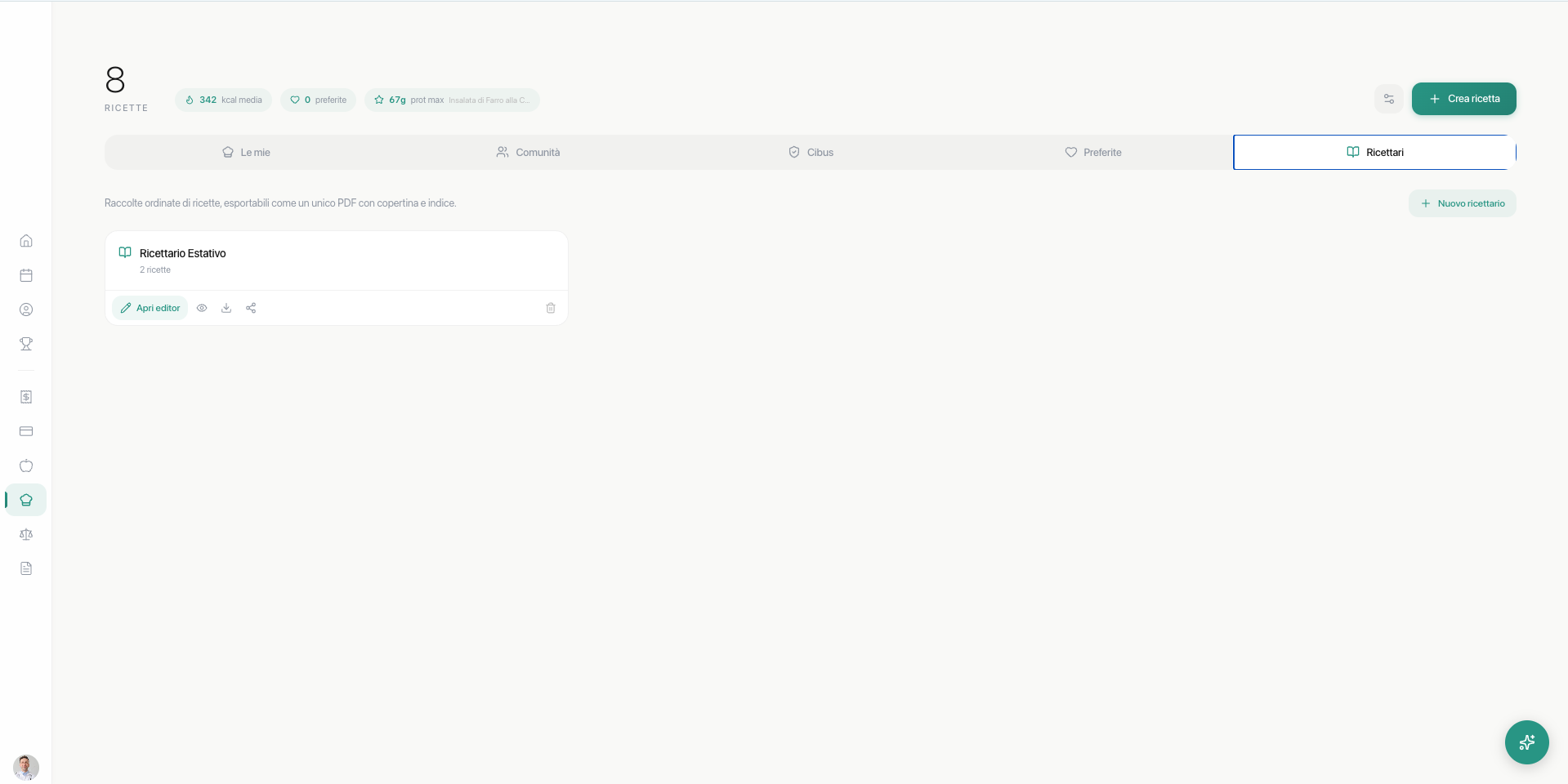
Over time, your collection of recipes grows: recipe books allow you to organise them into themed collections and provide them to patients as a proper collection. You can create a ‘Summer Recipe Book’, a ‘Breakfast’ one, a ‘Protein Recipes’ one — whatever you prefer.
Creating a recipe collection. You can create one from the Recipes section, under the Recipe Collections tab: give the collection a name (for example, ‘Summer Recipe Collection’) and it becomes a separate folder in which you can gather themed recipes.
Add recipes to a recipe book. Assign the recipes you create to whichever recipe book you prefer. You can create them in various ways — using AI, based on a recipe found online, or by entering them manually — and then organise them in the right recipe book so you can find them when you need them. To create and customise a recipe, see the dedicated article.
Provide the patient with a recipe book. Unlike the individual recipes you include in the meal plan, the recipe book is designed to be provided as a complete collection. You can download it as a PDF — complete with cover and contents page — and send it however you prefer, or upload it directly to the patient’s portal, where they can find it alongside their plan and other documents. A handy way to provide the patient with a themed recipe book — summer recipes, breakfast ideas, protein alternatives — without having to add them one by one to the plan.
Recipe books are ideal for keeping things organised as your recipe database grows, and for offering patients something more than just a meal plan: a collection of ready-made recipes, organised just the way you like it.
Creating foods and recipes with AIWould you like to learn more?
Not using Cibus yet? Leave your contact details and we’ll get back to you.
Already using Cibus?
Need help? Message your Cibus contact.